How do I setup TMA-2 Move Wireless?
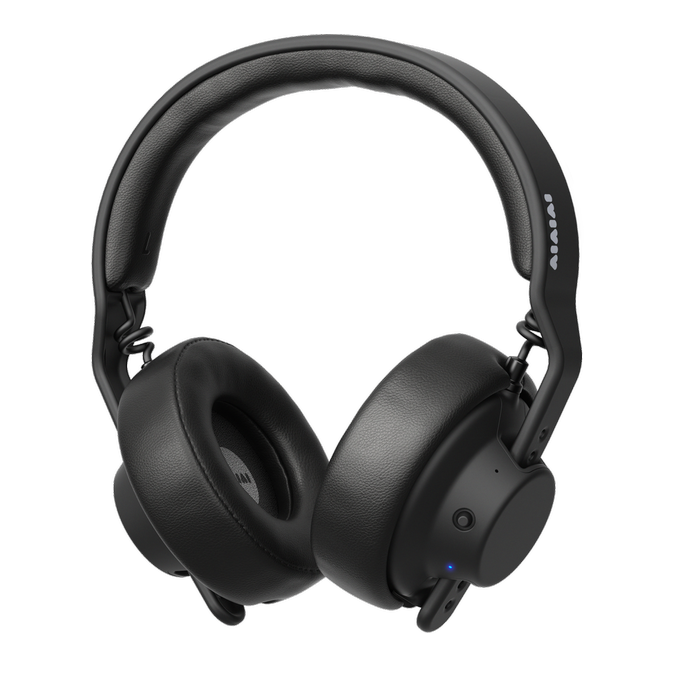
Slide the S11 Speaker Units onto the headband, then connect over Bluetooth® or with the cable.
Before you start
In the box: S11 Speaker Units (2), E04 Earpads (2), an H03 Headband, a C05 Cable with an adapter, and an A01 Protective pouch.
If the speaker units are low on battery, charge them with a USB-C charger. A full charge takes 2 hours.
W+ Link needs an X03 Transmitter. It is not in the box.
Steps
Put the headphones together
- Slide the right speaker unit onto the right side of the headband, and the left speaker unit onto the left. The right side is marked R and red.
- Check that the text on each speaker unit faces upright. If one is upside down, the sound can be wrong.
- Press the earpads on. Line the four knobs up with the four holes on the speaker unit.
Watch the speaker units go onto the headband:

Connect over Bluetooth
- Turn S11 on: press and hold the joystick for 2 seconds.
- Double press the joystick so the LED turns blue.
- Hold the joystick to the right for 2 seconds until the LED flashes fast.
- Turn on Bluetooth on your phone and choose AIAIAI S11. The LED turns constant blue when S11 is connected.
Watch S11 pair over Bluetooth:

Use the cable
- Turn S11 off.
- Plug the cable into the left speaker unit and twist it to lock.
The USB-C port is for charging only. It doesn't carry audio.
Add W+ Link
W+ Link is the low-latency way to connect. It needs an X03 Transmitter.
- Connect X03 to your audio source through its mini-jack input or USB-C.
- With X03 off, hold its button for 4 seconds until the LED flashes fast.
- Turn S11 on, and check that the LED is white. If it is blue, double press the joystick.
- Hold the joystick to the right for 2 seconds until the LED flashes fast.
- Wait until the S11 LED is constant white and the X03 LED is constant white.
If it doesn't work
- The LED doesn't turn blue. Double press the joystick. White is W+ Link and blue is Bluetooth.
- The phone can't find S11. Hold the joystick to the right for 2 seconds until the LED flashes fast, then choose AIAIAI S11 again.
- S11 turned itself off. It switches off after 10 minutes without a connection. Turn it on and connect again.
- You only hear sound on one side. Check that each speaker unit is upright and the right side, marked R and red, is on the right. Please see Why can I hear sound in only one ear of my headphones?
Products referenced in this article
Follow





Subscribe
© 2026 AIAIAI. All Rights Reserved.