UNIT-4 - App Instructions and firmware update
In this article, you'll find our guides on how to firmware update the UNIT-4. Our UNIT-4 studio monitors are compatible with the X02 transmitter.
UNIT-4 App Download
Our "AIAIAI Audio" app works for UNIT-4 and S11, in it you can update the UNIT-4's firmware and customize the UNIT-4's sound. Downloading the app from your platform's app store:
- Apple App Store: Download for iOS
- Google Play Store: Download for Android
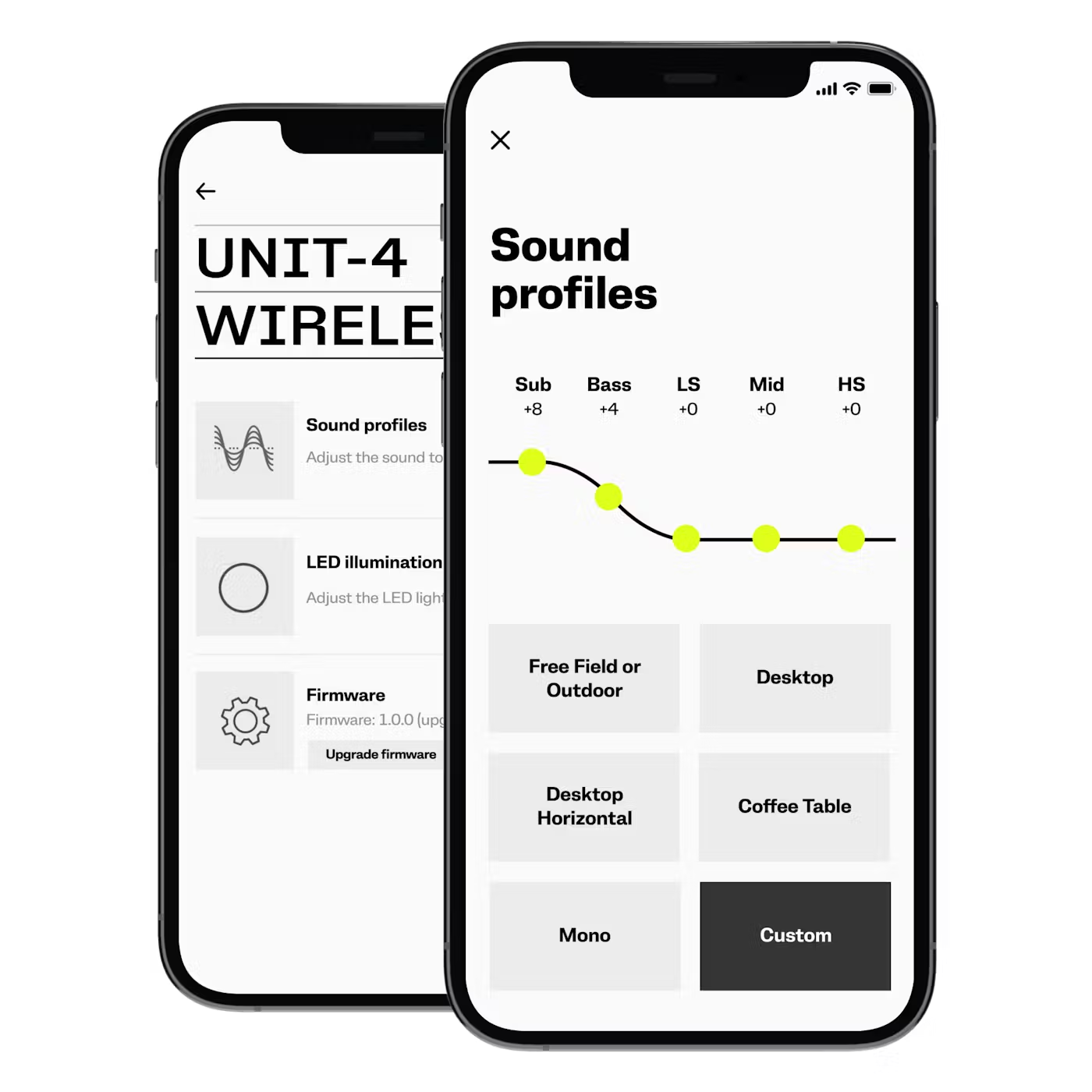
Ensure you are using the latest version of the app by checking for updates.
Connecting the speakers in the app
Ensure that your UNIT-4 speaker(s) are connected in your device's Bluetooth settings.
Open the UNIT-4 app and follow the on-screen instructions to connect the speakers in the app.
We also have a UNIT-4 Getting started video guide where you at 2:07 get introduced and a guide to the UNIT-4 App.
How to Firmware update through the app
For the EQ and sound profiles to function properly, you may need to update your speakers' firmware.
Open the AIAIAI UNIT-4 App and check for any firmware updates.
If an update is available, follow the steps provided by the app to install the latest firmware version.
Latest firmware and updates
For UNIT-4's with both Bluetooth mode and Wireless mode the latest firmware is 1.0.67 from September 2025. This firmware had the following updates.
Audio update:
+6dB Max SPL using 2 speakers in stereo mode.
+6dB max SPL using X02 in USB-C mode.
Processor update:
Faster button response.
Charging LED feedback improved.
Connectivity improvements."
For UNIT-4's with Bluetooth mode only the latest firmware is 2.0.67 from October 2025. This firmware had the following updates.
This firmware has W+ Link deactivated
Audio update:
+6dB Max SPL using 2 speakers in stereo mode.
+6dB max SPL using X02 in USB-C mode.
Processor update:
Faster button response.
Charging LED feedback improved.
UI improvements."
Follow