How to assemble your TMA-2 headphones
In this article, you’ll find step-by-step general assembly instructions for our TMA-2 headphones. These steps apply to all TMA-2 models, including custom builds.
For wireless connection instructions, please refer to the guide for your specific wireless model.
Jump to section
- 1. Attach the Speaker Units to the Headband
- 2. Attach the Earpads to the Speaker Units
- 3. Plug in Cable (for analog listening)
When you unbox your TMA-2 headphones, you’ll find the components packaged separately. Follow the simple steps below to assemble them and start listening.
1. Attach the Speaker Units to the Headband
Slide theSpeaker Units onto the Headband. Align the sides marked R (right, red) and L (left) so they match correctly. The right side plug (marked red) connects to the speaker unit also marked with R and red input.
Make sure the text on the speaker units is facing upright to ensure proper sound orientation and avoid sound issues.
Video demonstration of Step 1:

2. Attach the Earpads to the Speaker Units
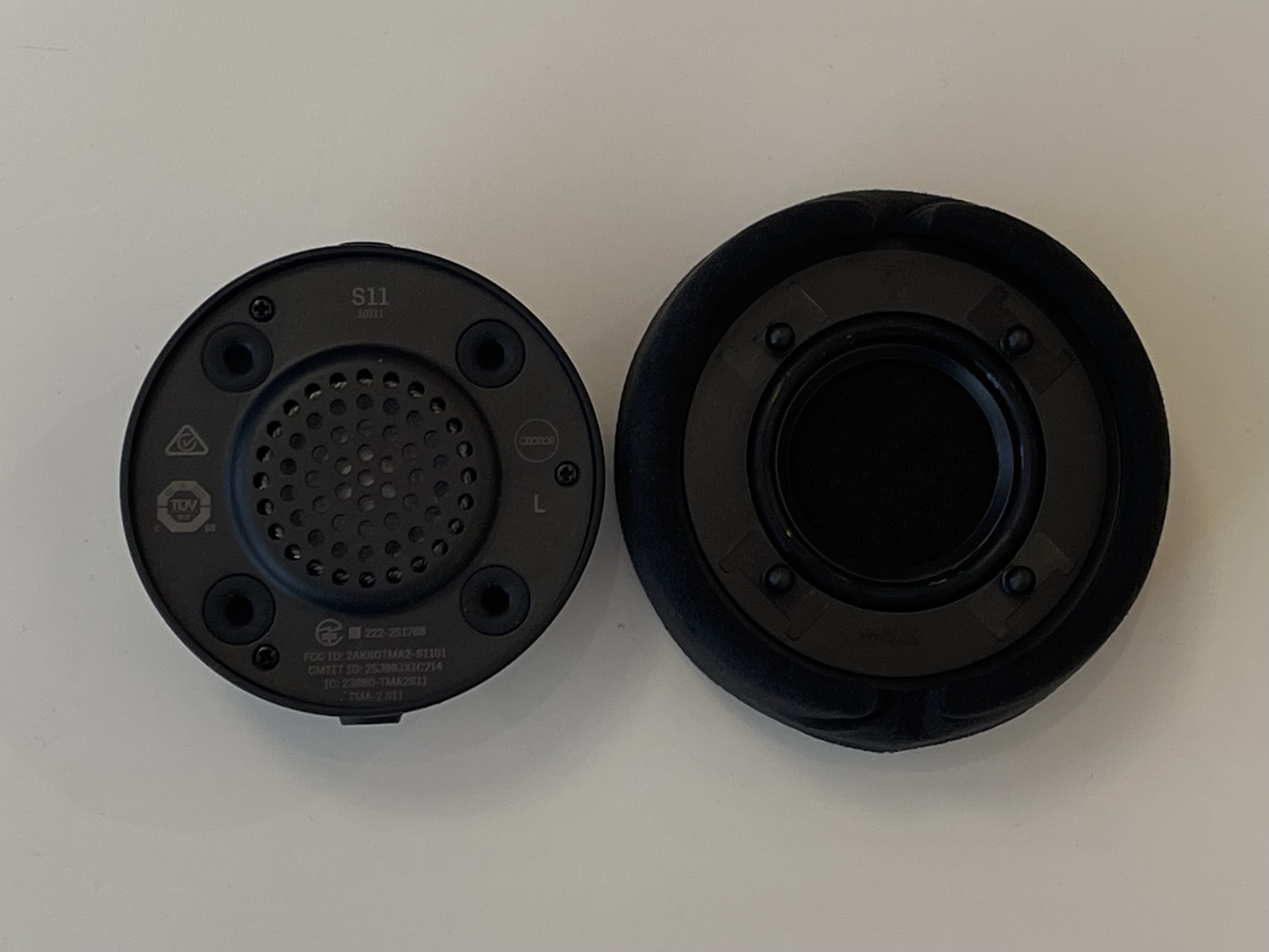
Press the earpads onto the speaker units, aligning the four knobs on the earpads with the four holes on the speaker units so they sit securely in place.
3. Plug in Cable (For analog listening)
If you're not using a wireless model, connect the audio cable your preferred side to start listening.
Video demonstration of Step 2 and 3:

Follow